Python-Tutorial-3
P1 Images
In the previous
tutorial we
didn't succeed to create a
P6 image.
So we will try with the P1 version of the portable
images format.
Indeed this one is purely textual.
w = 7
h = 10
print(f"P1")
print(f"{w} {h}")
img = []
for y in range(0, h):
line = []
for x in range(0, w):
line.append(0)
img.append(line)
for y in range(0, h):
for x in range(0, w):
c = img[y][x]
print(f" {c}", end="")
print('', end="\n")
We will get an image similar to this one:
P1
7 10
0 0 0 0 0 0 0
0 0 1 1 1 0 0
0 1 0 0 0 1 0
0 1 0 0 0 1 0
0 1 0 0 0 1 0
0 1 0 0 0 1 0
0 1 0 0 0 1 0
0 1 0 0 0 1 0
0 0 1 1 1 0 0
0 0 0 0 0 0 0
Here is what we get if we visualise it:

As we saw in the previous tutorial, after we start with a
very simple version, we can organise the different parts
with small functions:
def create_img(w, h):
img = []
for y in range(0, h):
line = []
for x in range(0, w):
line.append(0)
img.append(line)
return img
def print_img(img):
w = len(img[0])
h = len(img)
print(f"P1")
print(f"{w} {h}")
for y in range(0, h):
for x in range(0, w):
c = img[y][x]
print(f" {c}", end="")
print('', end="\n")
def draw_rect(img, rect, value):
_x = rect[0]
_y = rect[1]
_w = rect[2]
_h = rect[3]
for y in range(_y, _y + _h):
for x in range(_x, _x + _w):
img[y][x] = value
def main():
w = 7
h = 10
img = create_img(w, h)
draw_rect(img, [2, 2, 3, 2], 1)
print_img(img)
main()
Here there is also the draw_rect() add'd at the
same time, but it's better to do it in two steps.
If you add too much code at the same time, the probability to
make an error is higher.
Compared to the
previous
draw_rect() function, here we group all
the coords in a single
rect value.
Again we can add the bound check after:
def draw_rect(img, rect, value):
  w = len(img[0])
  h = len(img)
  _x = rect[0]
  _y = rect[1]
  _w = rect[2]
  _h = rect[3]
  for y in range(_y, _y + _h):
    for x in range(_x, _x + _w):
      if x >= 0 and x < w:
        if y >= 0 and y < h:
          img[y][x] = value
Here is the result:
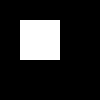
Then all the coords of a rectangle can be group'd in
a single value as you can see:
rect = [20, 20, 70, 40]
Then we can try to create a draw_circ() function,
import math

def dist(p1, p2):
  x1 = p1[0]
  y1 = p1[1]
  x2 = p2[0]
  y2 = p2[1]
  dx = x2 - x1
  dy = y2 - y1
  sq_dist = (dx * dx) + (dy * dy)
  return int(math.sqrt(sq_dist))

def draw_circ(img, c, r, value):
  w = len(img[0])
  h = len(img)
  cx = c[0]
  cy = c[1]
  _x1 = cx - r
  _y1 = cy - r
  _x2 = cx + r
  _y2 = cy + r
  for y in range(_y1, _y2 + 1):
    for x in range(_x1, _x2 + 1):
      d = dist([cx, cy], [x, y])
      if d < r:
        img[y][x] = value
def main():
w = 100
h = 100
img = create_img(w, h)
draw_rect(img, [0, 0, 100, 100], 1)
draw_rect(img, [20, 20, 40, 40], 0)
draw_circ(img, [20, 20], 10, 0)
print_img(img)
main()
For this function, we also need a dist() function.
Very often a function will need a sub-function.
Here is the result that we get:
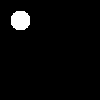
Here the draw_circ() function also need a bound
check, just like the draw_rect() function.
Going Further
You can try to draw other kind of shapes.
Usage Notice
© 2025 Florent Monnier
License for the tutorial parts:
To the extent permitted by law:
license: FDL
License for the code parts:
To the extent permitted by law:
spdx=any
